Shopify Email Audit: What I Check First (And Why It Matters)
AT A GLANCE
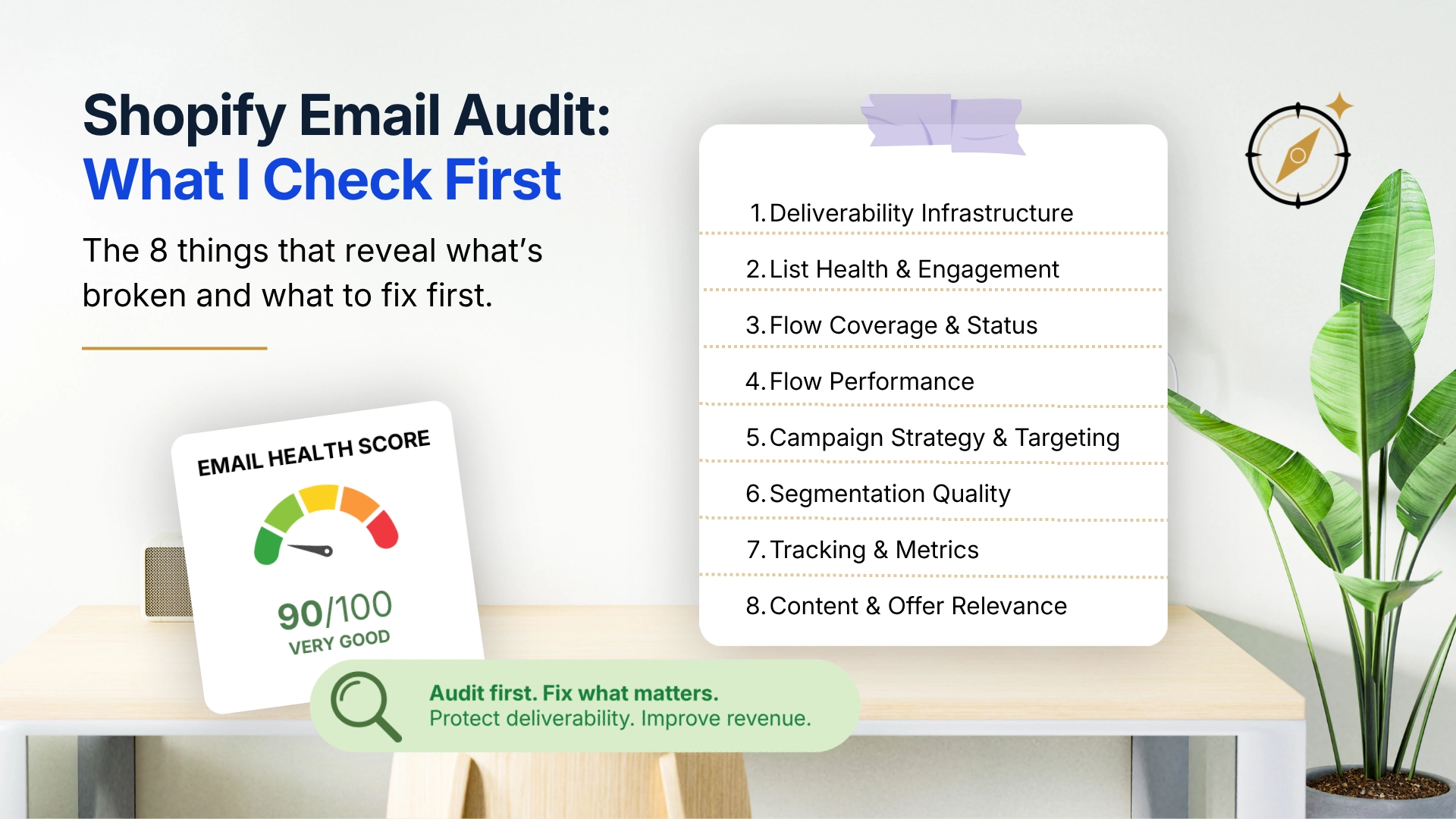
A useful Shopify email audit starts with the foundation, then moves through flows, campaigns, segmentation, metrics, and content in order.
Quick Summary
- A Shopify email audit is not about finding one big broken thing. It is about mapping where revenue and retention are leaking before deciding what to fix first.
- Most accounts show similar problems: underdeveloped flows, full-list campaign sends, missing segmentation, and metrics that are not reviewed regularly.
- The order of the audit matters. Do not fix copy before confirming emails are reaching the inbox. Do not optimize a flow before verifying it triggers correctly.
- This guide walks through an 8-point audit sequence that helps reveal the highest-impact problems in a Shopify and Klaviyo email account.
Introduction
The first thing I do when reviewing a Shopify email account is not open the campaign editor or look at subject lines.
I check whether the emails are actually reaching people.
That might sound obvious. But deliverability is the foundation everything else sits on, and it is the part many store owners either take for granted or do not know how to check. A well-written abandoned cart sequence that is landing poorly will generate a fraction of the revenue it should. Subject line testing will not fix that until the delivery problem is addressed first.
This is the principle behind a structured email audit: sequence matters. Work from foundation to execution, from infrastructure to strategy, from what is broken to what could be better. Otherwise, you spend time optimizing the wrong things while the real problems keep compounding quietly.
What follows is the 8-point sequence I work through when auditing a Shopify email account. Some checks take five minutes. Some take longer. All of them surface something useful.
A Typical Audit Finding
A common Shopify email audit pattern looks like this:
- SPF is configured.
- DKIM is configured.
- The welcome flow is active.
- The abandoned cart flow is active.
At first glance, the account looks healthy.
Then the deeper checks show a different picture: the engagement ratio is very low, most campaigns are sent to the full list, and the post-purchase flow ends after the order confirmation.
The biggest issue is not email design. It is the system underneath it. That pattern is surprisingly common in Shopify and Klaviyo accounts.
Check 1: Deliverability Infrastructure
What to Look For
Before anything else, confirm the technical foundation is in place:
- SPF record: is it configured for the sending domain?
- DKIM authentication: is DKIM set up and verified in Klaviyo?
- DMARC policy: is a DMARC policy published for the domain?
- Custom sending domain: is the account sending from a custom domain, such as email.yourbrand.com, or a shared sending setup?
SPF helps receiving servers understand which senders are authorized for your domain. DKIM adds an authentication signature to outgoing emails. DMARC tells receiving servers how to handle emails that fail authentication checks.
How to Check
- Use a DNS lookup tool such as MXToolbox to check SPF, DKIM, and DMARC records.
- Check Klaviyo account settings to confirm whether the sending domain and DKIM authentication are verified.
- Set up Google Postmaster Tools if Gmail performance is important to your list.
What It Means
If SPF, DKIM, or DMARC are missing or misconfigured, inbox placement may be compromised before a single campaign is sent. This is usually the first fix, regardless of what else the audit finds.
SPF = Pass
DKIM = Pass
DMARC = Pass
Custom sending domain = Pass
Check 2: List Health and Engagement Ratio
What to Look For
- Total subscriber count versus engaged subscriber count.
- Bounce rate trend over the last 6-12 months.
- Spam complaint patterns on recent campaigns.
- When the list was last cleaned or cold contacts were suppressed.
How to Check
In Klaviyo, build a segment for people who opened or clicked any email in the last 90 days. Compare that segment size with total active profiles. This gives you a practical engagement ratio.
Then review recent campaign performance for bounce and complaint patterns. Also check whether the suppression list is growing naturally or whether old contacts are staying active forever because list cleaning never happens.
What It Means
If the engaged audience is a small percentage of the full list, a significant portion of campaign volume may be reaching cold contacts. That can weaken engagement signals and make future sends harder to deliver cleanly.
Thresholds vary by industry, acquisition sources, list age, and send frequency, but a very low engagement ratio is usually worth investigating before you increase campaign volume.
Spam complaint thresholds and deliverability guidance can change. Use Klaviyo’s current deliverability dashboard and documentation before acting on a specific number. The practical principle is stable: cold contacts and repeated complaints deserve attention early.
Check 3: Flow Coverage and Status
What to Look For
Map which flows exist and whether each one is live. The core flows most Shopify stores should review are:
| Flow | Status to Check |
|---|---|
| Welcome series | Live? How many emails? What is the span? |
| Abandoned cart | Live? How many emails? Are recent purchasers excluded? |
| Browse abandonment | Live? Triggering correctly? |
| Post-purchase | Live? Does it extend beyond order confirmation? |
| Win-back or re-engagement | Live? Targeted at genuinely lapsed contacts? |
| Sunset or suppression | Live? Suppressing non-responders after a clear attempt? |
How to Check
- Filter by live status in Klaviyo’s flow library.
- For each live flow, check number of emails, total span in days, active recipient count, and revenue attributed in the last 30 and 90 days.
- Review flow filters. Recent purchasers should not keep receiving abandoned cart messages for products they already bought.
What It Means
Missing flows are lost opportunity running in the background. A store without a meaningful post-purchase flow is losing retention opportunity every day, not only during campaign periods. Fix missing core flows before obsessing over small copy improvements inside existing ones.
1. Welcome
2. Abandoned cart
3. Post-purchase
4. Browse abandonment
5. Win-back
Check 4: Flow Performance Metrics
What to Look For
For each live flow, review:
- Open rate per email in the sequence.
- Click rate per email.
- Revenue per recipient at the flow level.
- Where the drop-off happens in the sequence.
How to Check
Open each flow’s email-by-email analytics. Look for sharp drops between emails. A sudden fall from email 2 to email 3 can point to a timing problem, a relevance problem, or a sequence that no longer matches the customer’s stage.
Compare revenue per recipient across flows. Abandoned cart and welcome flows often generate strong revenue per recipient. Post-purchase and browse abandonment should also show meaningful activity. A flow with near-zero revenue per recipient may not be triggering correctly, may be reaching the wrong people, or may need a content rethink.
What It Means
Flow performance separates “the flow exists” from “the flow is working.” A technically live flow that generates no meaningful result is a false positive. It looks fine in the flow library but is functionally weak from a business standpoint.
| Metric | Why It Matters |
|---|---|
| Revenue per Recipient | Shows actual business impact. |
| Click Rate | Shows engagement quality. |
| Drop-Off Point | Shows where friction appears in the sequence. |
| Conversion Rate | Shows purchase efficiency. |
Check 5: Campaign Targeting Practices
What to Look For
Review the last 10 campaign sends:
- What recipient audience was used for each campaign?
- Were recent purchasers excluded?
- How many days passed between campaigns?
- What was the revenue per recipient for each send?
How to Check
In Klaviyo’s campaign section, open each recent campaign and review the recipient segment. Then record open rate, click rate, revenue, and revenue per recipient.
| Campaign | Recipient Segment | Revenue per Recipient | Discount Used? |
|---|---|---|---|
| Campaign 1 | All Subscribers | Record your value | Yes / No |
| Campaign 2 | Engaged 90-day | Record your value | Yes / No |
| Campaign 3 | Specific segment | Record your value | Yes / No |
What It Means
If most campaigns were sent to all subscribers or the full list, segmentation is an immediate priority. Compare revenue per recipient between targeted campaigns and full-list sends. The gap usually makes the targeting case more clearly than a long explanation.
If the answer is all subscribers for most campaigns, you have already identified one of the highest-priority fixes.
Also flag whether revenue per recipient is much higher on discount campaigns than non-discount campaigns. That can indicate discount conditioning, weak content strategy, or targeting that is too broad.
Check 6: Segmentation Depth
What to Look For
Check how many active, purposeful segments exist in the account and whether they are actually being used.
Core segments worth having include:
- Highly engaged, 30-day.
- Engaged, 90-day.
- Cold or unengaged, 180+ days.
- First-time buyers.
- Repeat buyers.
- High-value customers.
- At-risk high-value customers.
- Recent purchasers for suppression.
How to Check
Open the segment library. For each core segment, check whether it exists, whether the definition is current, and whether it is being used in recent campaign sends or exclusions.
What It Means
A segment library that never gets used is another false positive. The audit should confirm not just that segments exist, but that they are part of the campaign workflow. If they are not, the issue is not only setup. It is process.
Check 7: Metrics Being Tracked
What to Look For
Ask what numbers are actually reviewed and how often. A common finding: open rates are checked regularly, while revenue per recipient, repeat purchase rate, and flow revenue are reviewed rarely.
How to Check
Review the reporting routine. What gets checked after each campaign? What gets reviewed monthly? Is there a formal reporting cadence, or does performance only get reviewed when something feels wrong?
Also check whether the store uses Klaviyo reporting, Shopify customer analytics, Google Analytics, or a mix. Multiple sources can be useful, but inconsistent attribution can create confusion if nobody knows which source is used for which decision.
What It Means
Metrics drive decisions.
A store that only tracks open rate will optimize subject lines and send timing while missing deeper retention signals. Part of the audit is identifying which metrics are missing from the review process.
| Metric | Source |
|---|---|
| Revenue per recipient by flow | Klaviyo flow analytics |
| Repeat purchase rate | Shopify customer reports |
| Engaged list ratio | Klaviyo segment comparison |
| Flow revenue over 30/60/90 days | Klaviyo flow analytics |
| Spam complaint rate | Klaviyo deliverability dashboard |
| Second purchase conversion rate | Klaviyo and Shopify |
Check 8: Content and Timing Quality
What to Look For
This is the final check, not because content does not matter, but because content problems are only worth addressing after infrastructure, flow coverage, targeting, and metrics issues are understood.
Review a sample of recent emails for:
- Subject line quality.
- Preview text usage.
- Email copy clarity.
- CTA clarity.
- Mobile rendering.
- Personalization.
- Flow timing and message order.
What It Means
Content quality issues are visible, which is why they often get addressed first. But a well-written email sent to the wrong people, landing poorly, or arriving at the wrong moment will underperform no matter how polished it looks.
Fix the infrastructure, flows, targeting, and metrics first. Then optimize content. The combined effect is usually stronger than any single copy improvement in isolation.
The Full Audit Summary Sheet
Use this table to document findings and prioritize fixes.
If you want a ready-made version, use the Free Shopify Email Health Check Tool to work through the audit in a spreadsheet.
| Audit Area | Status | Priority | Notes |
|---|---|---|---|
| SPF / DKIM / DMARC | Good / Needs review / Missing | Critical | Fix before anything else if missing. |
| Custom sending domain | Good / Needs review / Missing | High | Check Klaviyo account settings. |
| List engagement ratio | Record percentage | High if weak | Compare engaged 90-day segment to total active profiles. |
| Spam complaint rate | Record current pattern | Critical if high | Use current Klaviyo guidance. |
| Welcome flow | Good / Needs review / Missing | High | Note email count, span, and revenue per recipient. |
| Abandoned cart flow | Good / Needs review / Missing | High | Check exclusions and trigger behavior. |
| Post-purchase flow | Good / Needs review / Missing | High | Check whether it extends beyond order confirmation. |
| Win-back flow | Good / Needs review / Missing | Medium | Confirm it targets genuinely lapsed contacts. |
| Sunset flow | Good / Needs review / Missing | Medium | Confirm suppression process. |
| Campaign targeting | Segmented / Full list | High if full list | Review last 10 campaign sends. |
| Core segments built | Good / Needs review / Missing | Medium | Check definitions and freshness. |
| Segments used in sends | Yes / No | Medium | Confirm use in campaigns, not just existence. |
| Monthly metrics review | Yes / No | Medium | Note which metrics are tracked. |
| Content quality | Good / Needs review / Weak | Lower | Fix after foundation and targeting issues. |
The Critical and High items with weak or missing status become the priority list. Work through them in order: infrastructure before flows, flows before campaigns, campaigns before content.
How Long a Full Audit Takes
The eight checks can usually be completed in a focused 2-3 hour session for a typical Shopify email account. Larger accounts with complex flow structures and extensive campaign history may take longer.
| Audit Step | General Time Estimate |
|---|---|
| Deliverability infrastructure | 20-30 minutes |
| List health and engagement ratio | 15-20 minutes |
| Flow coverage and status | 20-30 minutes |
| Flow performance metrics | 30-45 minutes |
| Campaign targeting review | 20-30 minutes |
| Segmentation depth | 15-20 minutes |
| Metrics review | 15 minutes |
| Content and timing quality | 30-45 minutes |
The output should be a prioritized fix list, not a list of everything that could be improved.
Common Audit Mistakes
Starting with content. Copy and design are visible and easy to evaluate. They are also the wrong starting point if the infrastructure is broken.
Treating a live flow as a working flow. A flow can be active in Klaviyo while generating near-zero revenue because of a filter issue, trigger problem, or irrelevant content.
Auditing without prioritizing. An audit that surfaces 40 problems without ranking them is paralyzing. A useful audit produces a short priority list.
Fixing everything at once. If every issue changes at the same time, it becomes hard to tell which fix caused which result. Work through priorities in sequence.
Not re-auditing after fixes. A single audit is a snapshot. A lightweight version focused on deliverability, flow performance, and targeting is worth running quarterly.
FAQ
Do I need a Klaviyo specialist to run this audit?
No. These checks are designed to be self-administered if you have access to Klaviyo and basic familiarity with the account. A specialist is most useful when findings are ambiguous or when fixes need to be built quickly.
What if I find problems in multiple areas at once?
Use the order in this article: deliverability first, then list health, flow coverage, flow performance, campaign targeting, segmentation, metrics, and content. Do not optimize campaigns while the sending foundation is still broken.
How do I know if my revenue per recipient numbers are good or bad?
Benchmarks vary by category, product price, margin, and audience. Compare your own flows against each other before relying on broad averages. Relative performance inside your own account is usually more actionable.
My account has dozens of flows. Which ones should I audit first?
Start with welcome, abandoned cart, and post-purchase. Once those are confirmed healthy, move to browse abandonment, win-back, sunset, and more specialized flows.
Should campaign performance be audited separately from flow performance?
Yes. Flows are behavior-triggered automations. Campaigns are scheduled sends to selected audiences. They need separate reviews because the purpose, audience, and benchmarks are different.
How often should I run a full email audit?
For most Shopify stores, a full audit every 6-12 months is sufficient. Deliverability, list health, and campaign targeting should be reviewed monthly because those areas can change faster.
Key Takeaways
- A structured email audit works from foundation to execution: deliverability before flows, flows before campaigns, and campaigns before content.
- Common findings include missing flows, full-list campaign sends, weak list engagement, and reporting that stops at open rate.
- A live flow is not the same as a working flow. Always check revenue per recipient and drop-off points, not just active status.
- The audit output should be a short, prioritized fix list.
- Re-audit quarterly because lists, sending patterns, and platform behavior change over time.
Practical Action Plan
This Week
- Run Checks 1 and 2: deliverability infrastructure and list health.
- Use a DNS lookup tool for SPF, DKIM, and DMARC.
- Pull your engaged 90-day segment size in Klaviyo and compare it to total active profiles.
In the Next 30 Days
- Complete Checks 3 through 6: flow coverage, flow performance, campaign targeting, and segmentation depth.
- Build the audit summary sheet and score each area.
- Choose the top three priority fixes based on impact and sequence.
In the Next 90 Days
- Implement all Critical and High priority fixes from the audit.
- Add the key monthly metrics to a regular reporting habit.
- Schedule a lightweight re-audit focused on deliverability, list health, core flows, and campaign targeting.
Related Guides
- 7 Revenue Leaks I Find in Shopify Email Accounts
- The Hidden Cost of Sending Campaigns to Everyone
- The Most Valuable Segment Most Shopify Stores Don’t Have
- Why Discounts Are Hiding Bigger Problems in Your Shopify Store
- What Happens After a Customer Buys?
Review Method
This audit framework is based on common patterns observed in Shopify and Klaviyo accounts. Exact findings vary based on product category, traffic quality, customer lifecycle, account maturity, platform settings, attribution behavior, and deliverability guidance. Verify current account settings and platform documentation before making major changes.
Conclusion
A Shopify email audit is not about finding fault. It is about knowing where to focus.
Most email accounts have more fixable problems than available time to fix them. The audit creates the map: what is broken, what is underperforming, what is working, and what deserves attention first.
The sequence matters as much as the checks themselves. Infrastructure before strategy. Flows before campaigns. Foundations before optimization.
Run through the eight checks, score each area, build the priority list, and start at the top. That is the audit. Everything after it is execution.
Last updated: June 2026. Platform features referenced are based on general Klaviyo and Shopify workflow patterns. Verify exact settings inside your own accounts before publishing changes.

Related guides

Best Email Marketing Software for Contractors (2026)
A practical comparison of Mailchimp, Constant Contact, Brevo, MailerLite, Kit, and field service marketing tools for contractors.

Best Email Marketing Software for Hair Salons & Spas (2026)
A practical comparison of Mailchimp, Constant Contact, Brevo, MailerLite, Kit, and booking-software marketing tools for salons and spas.

Best Email Marketing Software for Restaurants (2026)
A practical comparison of Mailchimp, Constant Contact, Brevo, MailerLite, Kit, and Toast Marketing for restaurant email marketing.