Best Email Marketing Software for Contractors (2026)

AT A GLANCE
Mailchimp is the practical choice for Jobber users because of the native integration. MailerLite is the strongest default for contractors not on Jobber who want free automation, while Brevo fits large seasonal lists.
Most contractors don’t have a marketing problem. They have a follow-up problem.
If you run an HVAC, plumbing, electrical, roofing, or landscaping business, you likely already get plenty of one-time jobs. The harder part is staying in front of those customers so they call you again for the next repair, the seasonal tune-up, or the referral to a neighbor. Email marketing for contractors isn’t really about newsletters. It’s about maintenance reminders, quote follow-ups, and review requests firing automatically after a job is done. This guide compares Mailchimp, Constant Contact, Brevo, MailerLite, and Kit for contractors specifically, including how they connect to field service software like Jobber and Housecall Pro.
Quick Answer
For most small contractor businesses, Mailchimp has a practical edge if you’re on Jobber, since Jobber offers a native Mailchimp integration that syncs your client list automatically, no Zapier required. MailerLite is a strong general choice if you’re not on Jobber and want automation included on a free plan. Brevo suits contractors with a large customer list built up over years who only send seasonal promotions. Constant Contact is worth considering if you want live phone support and don’t have office staff comfortable troubleshooting software. If you’re on Housecall Pro, its built-in campaign tools are worth comparing against a standalone platform before adding a second subscription. Kit is built for content creators and isn’t a fit for a contracting business.
Quick Summary
- Best overall if you use Jobber: Mailchimp, native integration means no Zapier setup needed
- Best overall if you don’t use Jobber: MailerLite, automation included free, simple to set up
- Best for large, infrequently-emailed lists: Brevo, send-based pricing suits seasonal-only senders
- Best for teams without dedicated marketing staff: Constant Contact, live phone support included
- Who should avoid it: Kit, built for creators monetizing content, not a fit for a contracting business
Before You Choose a Platform
Every option below can send a maintenance reminder or a promotional email. The real question is which one fits how your business already runs. Before comparing platforms, answer these:
- What field service software do you already use? Jobber, Housecall Pro, and ServiceTitan all connect to email tools differently, and that changes setup time significantly.
- Do you want post-job review requests to fire automatically? Some platforms handle this natively through field service software; others need a connector.
- How seasonal is your business? HVAC and landscaping tend to have sharp seasonal peaks that benefit from timed campaigns (furnace tune-ups before winter, AC checks before summer).
- Who manages the office side of the business? If it’s a single coordinator without marketing background, ease of use and support matter more than advanced segmentation.
- How large is your active customer list, and how often do you actually send? This determines which pricing model favors you.
If you’re on Jobber, check its native Mailchimp integration before evaluating other platforms. It removes the biggest setup hurdle contractors normally face: getting job data into the email tool in the first place.
Why Generic Software Advice Doesn’t Fit Contractors
Contractor marketing has a few patterns that don’t show up in most comparison articles:
- The highest-value email is usually a maintenance reminder tied to a service interval (a filter change, a seasonal tune-up), not a calendar-based newsletter
- Post-job review requests need to fire shortly after a job is marked complete, which depends on data from your field service software, not the email platform itself
- Many contractors already run Jobber or Housecall Pro, both of which offer some form of marketing integration or built-in tool
- Customer lists are often project-based and irregular: a big list of one-time customers plus a smaller group of repeat or maintenance-contract clients
- Seasonality drives timing more than it does for most small businesses. An HVAC company’s biggest campaign windows are narrow and predictable
Keep these differences in mind as you read the platform breakdowns below.
Mailchimp
★★★★☆ Recommended for: Contractors already using Jobber ★★★☆☆ Not ideal for: Contractors wanting native sync without using Jobber specifically
Overview Mailchimp is a practical default for contractors, particularly because Jobber offers a native integration that automatically syncs your client list into Mailchimp, no Zapier or middleware required.
Scorecard
| Category | Rating |
|---|---|
| Ease of Use | ★★★★★ |
| Time to Learn | 1–2 days |
| Automation | ★★★★☆ |
| Templates | ★★★★☆ |
| Field Service Software Sync | ★★★★☆ (native with Jobber, Zapier for others) |
| Support | ★★★☆☆ (phone support on Premium only) |
Typical Setup Time: 30–45 minutes if using Jobber’s native integration; 60–90 minutes if connecting another platform via Zapier
Best For A contractor on Jobber who wants client data synced automatically and a segment ready-made for “hasn’t had work done in 6 months” style win-back campaigns.
Strengths
- Native Jobber integration keeps client data in sync automatically
- Jobber’s own prebuilt campaign template targets dormant customers by last-completed-job date
- Strong template library, useful for before-and-after project photos
Limitations
- The native integration is Jobber-specific: contractors on Housecall Pro, ServiceTitan, or others need Zapier instead
- Free plan excludes automation entirely
- Costs climb quickly as your list grows past a few thousand contacts
✓ Contractors already running Jobber ✓ Businesses wanting a ready-made dormant-customer win-back segment ✓ Teams that want a widely-recognized platform for easy staff handoff
✗ Contractors on Housecall Pro or ServiceTitan wanting the same native ease ✗ Owners trying to minimize monthly cost on a large list ✗ Anyone who won’t regularly archive inactive contacts
Who Should Avoid It
- You’re not on Jobber and don’t want to set up a Zapier connection
- You’re cost-sensitive and your list is large but rarely emailed
- You don’t want the ongoing task of archiving inactive contacts
Pricing Snapshot Free (250 contacts, no automation) · Essentials from ~$13/mo · Standard from ~$20/mo (includes Customer Journeys automation)
Our Take We’ve found that the Jobber-Mailchimp pairing is one of the few genuinely native connections in this category. For contractors already on Jobber, that removes the setup step that usually makes contractors hesitate to start email marketing at all.
Constant Contact
★★★★☆ Recommended for: Teams without dedicated marketing or IT staff ★★★☆☆ Not ideal for: Cost-sensitive owners with small lists
Overview Constant Contact’s live phone support matters more for contractors than for most small businesses, since the person managing the office is often juggling scheduling, invoicing, and marketing all at once.
Scorecard
| Category | Rating |
|---|---|
| Ease of Use | ★★★★★ |
| Time to Learn | 1 day |
| Automation | ★★★☆☆ |
| Templates | ★★★★☆ |
| Field Service Software Sync | ★★☆☆☆ (manual import or Zapier) |
| Support | ★★★★★ |
Typical Setup Time: 45–75 minutes
Best For A contractor business where the office coordinator wants a phone number to call rather than troubleshooting software independently.
Strengths
- Live phone support, useful for teams without dedicated marketing staff
- Straightforward, guided campaign setup
- Reliable deliverability
Limitations
- No permanent free plan
- No native field service software integration
- Entry-level Lite plan excludes segmentation and A/B testing
✓ Teams without a dedicated marketing or IT person ✓ Owners who want a phone number to call when something breaks ✓ Contractors sending seasonal campaigns (furnace tune-ups, AC checks) a few times a year
✗ Contractors wanting native field service software sync ✗ Small lists under 500 contacts on a tight budget ✗ Anyone wanting to test the platform free first
Who Should Avoid It
- You want a free plan to try before committing
- Your list is under 500 contacts and cost is the top priority
- You need native integration rather than manual data import
Pricing Snapshot No permanent free plan (free trial only) · Lite from ~$12/mo · Standard from ~$35/mo (adds segmentation and A/B testing)
Our Take In our experience, contractors get the most value from Constant Contact when there’s no one on staff who wants to troubleshoot software. The phone support genuinely saves time for a business that’s more focused on trucks and jobs than marketing tools.
Brevo
★★★★★ Recommended for: Contractors with a large customer list who send seasonal promotions only ★★★☆☆ Not ideal for: Contractors wanting automation on a free plan
Overview Brevo charges by emails sent rather than contacts stored, which fits many contractors well. Years of one-time jobs build a large list, but a lot of contractors only send a couple of seasonal campaigns a year.
Scorecard
| Category | Rating |
|---|---|
| Ease of Use | ★★★★☆ |
| Time to Learn | 1–2 days |
| Automation | ★★★☆☆ (limited below Business tier) |
| Templates | ★★★★☆ |
| Value for a large, quiet list | ★★★★★ |
| Support | ★★★☆☆ |
Typical Setup Time: 45–90 minutes
Best For A contractor with a large customer list built from years of one-time jobs, sending seasonal maintenance promotions rather than frequent campaigns.
Strengths
- Unlimited contact storage, even on the free plan
- Send-based pricing rewards a large, rarely-emailed list
- SMS add-on available for appointment reminders if you want to expand channels
Limitations
- Automation (maintenance reminders, review request sequences) is limited until the Business tier
- Free and Starter plans keep Brevo’s branding unless you pay to remove it
- No native field service software integration
✓ Contractors with a large list built from years of one-time jobs ✓ Businesses sending seasonal tune-up or maintenance promotions only ✓ Anyone wanting unlimited contact storage without paying for it
✗ Contractors wanting maintenance-reminder automation without upgrading ✗ Owners sending frequent campaigns ✗ Anyone unwilling to pay extra to remove branding
Who Should Avoid It
- You want automation included without reaching the Business tier
- You send frequent campaigns to a large list, where send-based pricing adds up
- You don’t want to pay an add-on fee to remove Brevo’s branding
Pricing Snapshot Free (300 emails/day, unlimited contacts) · Starter from ~$9/mo · Business from ~$18–65/mo depending on volume
Our Take The contractors who do best on Brevo tend to be the ones with a big list of one-time customers built up over years, emailing only around seasonal peaks. That’s exactly the pattern its pricing rewards.
MailerLite
★★★★★ Recommended for: Contractors not on Jobber who want free automation ★★☆☆☆ Not ideal for: Contractors wanting native field service software sync or live phone support
Overview MailerLite includes automation on its free plan, which matters for a contractor wanting a maintenance-reminder sequence or review-request email without paying for it first.
Scorecard
| Category | Rating |
|---|---|
| Ease of Use | ★★★★★ |
| Time to Learn | Under 1 day |
| Automation | ★★★★☆ |
| Templates | ★★★★★ |
| Value for a small list | ★★★★★ |
| Support | ★★★☆☆ (no phone support) |
Typical Setup Time: 30–60 minutes, more if connecting field service software via Zapier
Best For A contractor not using Jobber who wants automation and solid templates without paying enterprise prices.
Strengths
- Automation included on the free plan: a maintenance-reminder sequence doesn’t require an upgrade
- Clean template editor, useful for before-and-after project photos
- Basic landing pages included, useful for a seasonal promotion page
Limitations
- No live phone support
- No native field service software integration
- Free plan caps at 500 contacts
✓ Contractors not on Jobber who still want automation ✓ Owners wanting a maintenance-reminder sequence without upgrading ✓ Anyone who values a clean, simple template editor
✗ Contractors wanting live phone support ✗ Lists over 500 contacts that want to stay on a truly free plan ✗ Anyone needing native field service software sync
Who Should Avoid It
- You want to call someone on the phone when something breaks
- Your list has outgrown 500 contacts and you want to stay free
- You need native field service software integration rather than Zapier
Pricing Snapshot Free (500 contacts, ~12,000 sends/mo) · Paid plans from ~$10/mo, scaling with contact count
Our Take What tends to stand out for contractors specifically is that a maintenance-reminder sequence, one of the more effective things a contractor can automate, doesn’t require a paid plan here the way it does with Mailchimp.
Field Service Software’s Built-In Marketing (Jobber, Housecall Pro)
Overview Jobber and Housecall Pro, the two most widely used field service platforms for home service contractors, both offer some form of marketing capability beyond scheduling and invoicing. Jobber connects natively to Mailchimp. Housecall Pro includes its own built-in email campaign tools directly in the platform.
Best For Contractors already paying for Jobber or Housecall Pro who want to check what’s included before adding a separate email platform.
Limitations
- Housecall Pro’s built-in campaign tools are generally simpler than a dedicated ESP’s design and segmentation options
- Marketing features are often bundled into a higher-tier plan than the base subscription
- Advanced segmentation and multi-step automation typically still require a dedicated platform for more complex needs
Our Take If you’re already on Jobber, connecting Mailchimp costs you nothing extra beyond Mailchimp’s own plan, since the sync itself is free and native. If you’re on Housecall Pro, it’s worth checking your current plan tier before assuming you need a separate tool. Either way, confirm what’s included before paying for a second platform that duplicates it.
Comparison Table: Starting Prices at a Glance
| Platform | Free Plan | Entry Paid Plan | Field Service Software Sync | Live Phone Support |
|---|---|---|---|---|
| Mailchimp | 250 contacts / 500 sends, no automation | ~$13–$20/mo | Native with Jobber; Zapier for others | Premium plan only |
| Constant Contact | No permanent free plan | ~$12/mo (Lite) | Manual import or Zapier | Yes, paid plans |
| Brevo | 300 emails/day, unlimited contacts | ~$9–$25/mo | Via Zapier | Higher tiers only |
| MailerLite | 500 contacts, ~12,000 sends/mo | ~$10/mo | Via Zapier | No |
| Housecall Pro built-in | N/A (Housecall Pro add-on) | Bundled into higher-tier plans, request current pricing | Native (it’s the same system) | Housecall Pro support channels |
Prices change often and vary by region and promotion. Always confirm current numbers on the provider’s pricing page before committing.
Quick Decision Tree
If you’re on Jobber → Mailchimp, for the native integration
If you’re on Housecall Pro → compare its built-in campaign tools against a standalone platform first
If your list is large but rarely emailed → Brevo
If you want automation without native field service sync → MailerLite
If your office team wants phone support → Constant Contact
What We’ve Learned Helping Contractors Choose Email Software
Contractors often delay email marketing because getting job data into an email tool feels like a technical project on top of an already busy schedule. That’s a reasonable concern, but it’s usually smaller than it seems, especially for Jobber users who can connect Mailchimp natively in a few minutes.
The other pattern worth mentioning: the single highest-value email for most contractors isn’t a newsletter. It’s a maintenance reminder tied to a real service interval, a filter change, a seasonal tune-up, sent automatically without anyone in the office having to remember. Once that’s built, it tends to keep generating repeat calls quietly in the background for years.
Common Mistakes When Choosing Email Software for a Contracting Business
Many contractors assume connecting their field service software to an email platform requires expensive middleware, when Jobber’s Mailchimp integration is native and free.
- Assuming integration always requires paid middleware. Check for a native connection first, especially if you’re on Jobber.
- Skipping the maintenance-reminder automation. It’s one of the highest-value emails a contractor can send, but it’s easy to leave for “later.”
- Ignoring seasonality in send timing. An HVAC or landscaping campaign sent at the wrong time of year underperforms regardless of platform.
- Choosing based on price alone. A cheap plan without automation may cost more in missed repeat business than a slightly pricier plan that automates reminders.
Hidden Costs to Watch For
- Field service software marketing add-ons bundled into a higher subscription tier than your current plan
- Zapier fees for connecting a generic ESP to field service software that lacks a native integration
- Inactive contacts still counting toward your limit on contact-based plans like Mailchimp
- Branding removal fees on Brevo’s free and Starter tiers
- Annual plan lock-in on some providers, with no refund if you cancel early
Can You Switch Later? (Migration & Switching Tips)
Yes. Contact lists export as CSV files on every dedicated ESP here, and most field service platforms allow a client list export as well. A few things to plan for:
- Automations rebuild from scratch. A maintenance-reminder sequence needs to be recreated manually on the new platform.
- Native integrations need reconfiguring. Moving off Jobber’s native Mailchimp sync to a different ESP means setting up a new connection, likely through Zapier.
- Domain authentication resets. You’ll need to re-verify your sending domain (SPF/DKIM) with the new provider.
- Signup and intake forms need updating. Any online forms pointing to the old platform need to be swapped over.
Time a platform switch for your slower season, not right before your peak service window.
Recommendations by Contractor Type
Contractors on Jobber: Recommended: Mailchimp. The native integration removes the biggest setup hurdle.
Contractors on Housecall Pro: Recommended: check what marketing is already included in your current plan before adding a dedicated ESP.
HVAC and seasonal service businesses with a large legacy list: Recommended: Brevo. Send-based pricing fits a seasonal-only sending habit.
Small teams without dedicated marketing or IT staff: Worth considering: Constant Contact, for the live phone support.
Contractors not on Jobber wanting the best price-to-feature ratio: Recommended: MailerLite, for free automation and simple setup.
FAQ
Do I need field-service-specific software, or can I use a general email tool? A general tool like Mailchimp or MailerLite works well for most contractors. The main consideration is how it connects to your field service software. Jobber’s native Mailchimp integration is the smoothest option; everything else typically needs Zapier.
How often should a contractor send marketing emails? Most contractors send too rarely rather than too often. A useful starting point is a seasonal campaign a few times a year, plus an automated maintenance reminder tied to each customer’s service interval. Our companion guide on email frequency for small businesses goes into more depth.
Is a maintenance-reminder email really worth setting up? Yes. It’s one of the simplest automations to build and reaches customers right when they’re due for a repeat service. MailerLite includes it on the free plan, and Mailchimp supports it from the Standard tier.
What’s the best way to collect customer emails as a contractor? Capturing email at the point of invoicing or quote approval tends to work better than asking separately later, since it’s already part of a process the customer is completing anyway.
Can I connect Jobber directly to Mailchimp? Yes. Jobber offers a native, built-in Mailchimp integration that syncs your client list automatically, including a prebuilt segment for customers who haven’t had work done in the last six months.
What about Housecall Pro? Housecall Pro includes its own built-in email campaign tools rather than a native Mailchimp connection. It’s worth comparing what’s included in your current plan against a standalone ESP before adding a second tool.
What’s the biggest mistake contractors make with email marketing? Assuming the technical setup will be harder than it is, and skipping the maintenance-reminder automation as a result. For Jobber users specifically, the Mailchimp connection is native and takes only a few minutes to set up.
Key Takeaways
- Jobber offers a native Mailchimp integration, no Zapier required, which is a genuine advantage for contractors on that platform
- Housecall Pro includes its own built-in campaign tools, worth checking before adding a second platform
- MailerLite is the strongest default for contractors not on Jobber who want free automation
- Brevo suits contractors with a large, rarely-emailed customer list
- Maintenance-reminder automations are the single highest-value email a contractor can set up
Reality Check
Most contractors don’t lose repeat business because they picked the wrong email platform. They lose it because no maintenance reminder was ever set up, or because they assumed the technical setup would be harder than it actually is. If you’re on Jobber, the Mailchimp connection takes minutes. Start there before spending more time comparing options.
Bottom Line
If you’re on Jobber, Mailchimp is the practical choice, since the native integration removes the setup barrier that stops most contractors from starting. If you’re not on Jobber, MailerLite offers the best combination of free automation and simplicity. If your customer list is large and you send only seasonally, Brevo‘s pricing model works in your favor. And if you’re on Housecall Pro, check what marketing is already included in your plan before adding anything else.
Contractor Maintenance Reminder & Review Request Template Pack
A useful starter pack for contractors should include three templates: a seasonal maintenance reminder, a post-job review request, and a quote follow-up. Keep each one short, easy to adapt, and tied to a real customer action.
Last verified: July 2026. Pricing figures in this article reflect publicly available rates as of mid-2026 and are approximate. Field service software integration details reflect currently documented partner integrations and may vary by plan and region. Always confirm current numbers and integration options directly with each provider before subscribing.

Related guides
Best Email Marketing Software for Hair Salons & Spas (2026)
A practical comparison of Mailchimp, Constant Contact, Brevo, MailerLite, Kit, and booking-software marketing tools for salons and spas.
Best Email Marketing Software for Restaurants (2026)
A practical comparison of Mailchimp, Constant Contact, Brevo, MailerLite, Kit, and Toast Marketing for restaurant email marketing.
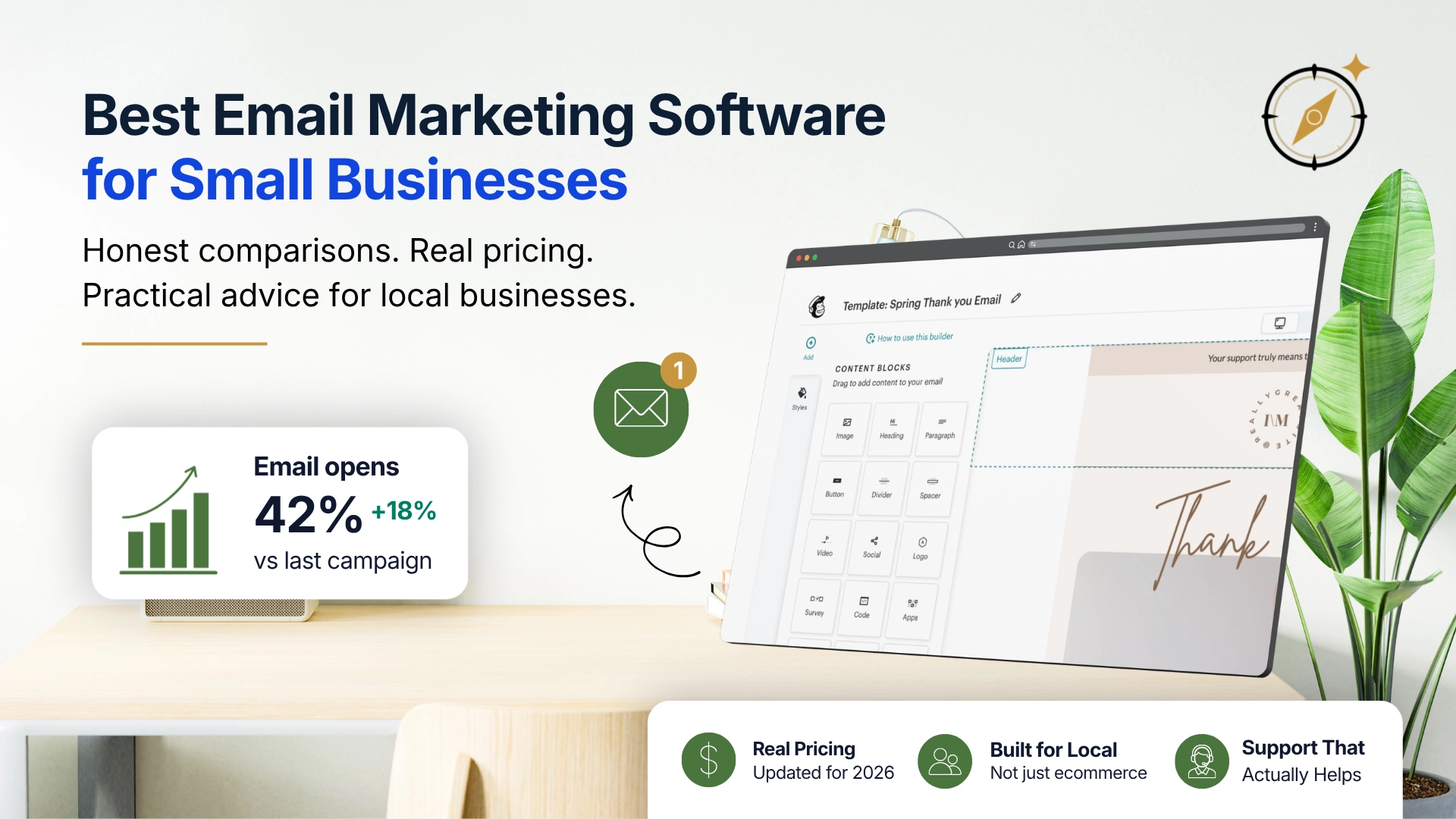
Best Email Marketing Software for Small Businesses (2026)
A practical, no-hype comparison of Mailchimp, Constant Contact, Brevo, MailerLite, and Kit for small and local businesses.