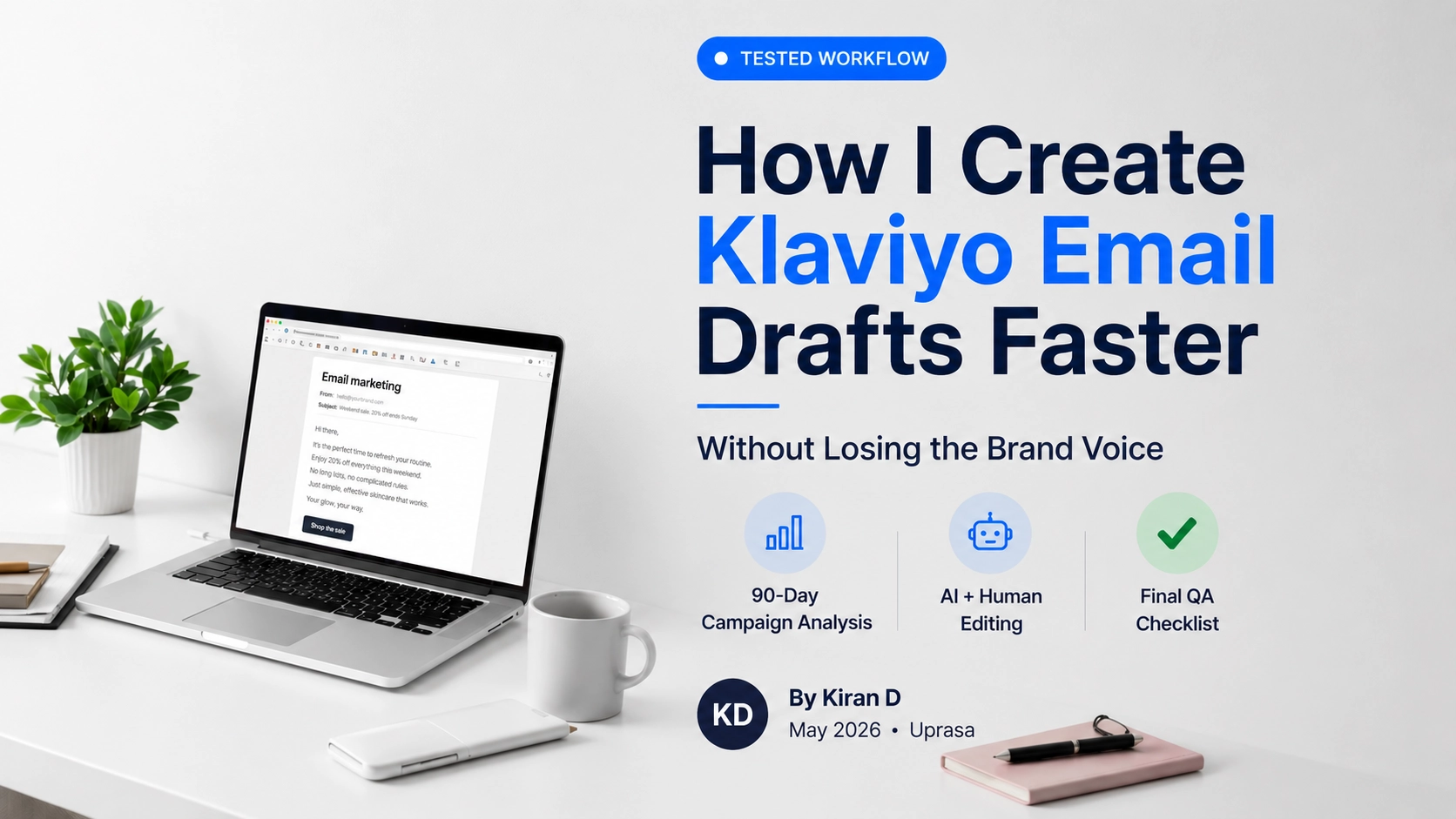
How I Create Klaviyo Email Drafts Faster (Without Losing the Brand Voice)
AT A GLANCE
A practical workflow for turning real campaign data into faster, more brand-consistent Klaviyo email drafts without relying on generic AI output.
Who This Workflow Is For
- Ecommerce marketers
- Shopify store owners
- Klaviyo freelancers
- Email marketing agencies
- In-house retention teams
Want the short version?
Jump directly to the workflow →Quick Summary
- Faster drafts come from better inputs, not better AI tools.
- Pulling 90-day campaign data before writing creates a feedback loop most marketers skip.
- The prompt is a template, not a shortcut. Garbage in, garbage out.
- AI generates the raw material; manual rewriting is still non-negotiable.
- A final review checklist is what separates publishable from sloppy.
The Problem with How Most People Draft Klaviyo Emails
Most email drafts take too long not because writing is hard, but because the starting point is wrong.
The typical process: open a blank document, stare at it for ten minutes, write something that sounds vaguely on-brand, tweak the subject line three times, and send it hoping something lands.
There is no data informing it. No pattern. No feedback loop from what actually worked last month.
That is the real bottleneck, not the writing itself.
Over time I have built a drafting workflow that starts with what the audience has already responded to, uses AI to generate raw material from that foundation, and then applies a manual edit pass that brings back the brand voice the AI usually flattens out.
It is not faster because of automation. It is faster because the brief is better.
The quality of the prompt depends on the quality of the campaign data.
My Klaviyo Email Drafting Workflow
Before diving into the detailed process, here is the workflow I follow for nearly every campaign.
| Step | Purpose |
|---|---|
| Review campaign data | Find what already works |
| Analyze subject lines | Identify patterns |
| Create prompt constraints | Give AI useful direction |
| Generate multiple drafts | Create options for comparison |
| Rewrite manually | Restore brand voice |
| Send test email | Catch mistakes before sending |
| Run QA checklist | Prevent avoidable errors |
| Schedule campaign | Launch with confidence |
Workflow Overview
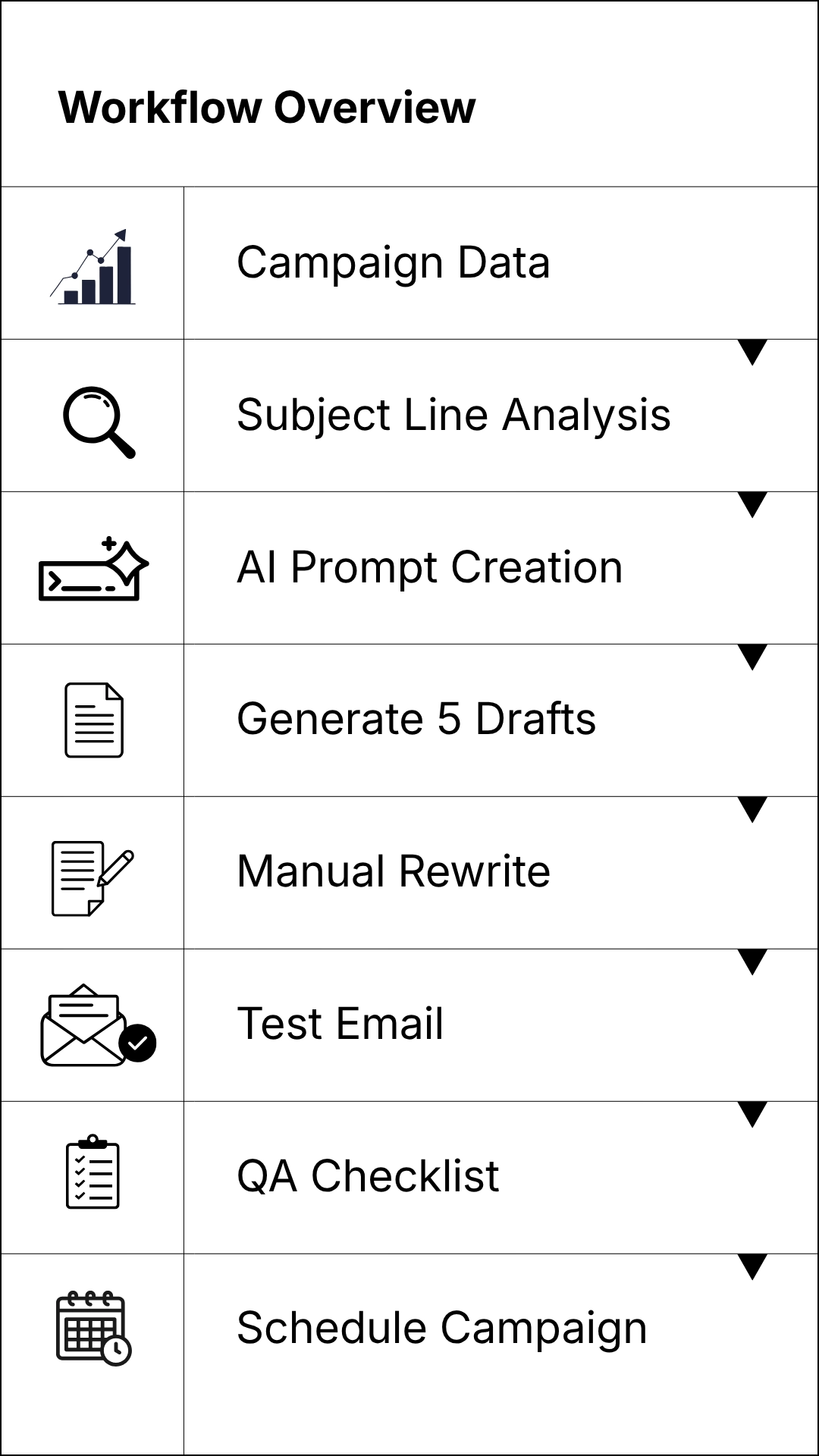
Most of the time savings come from the first three steps. Once the inputs are clear, the actual drafting process becomes much faster.
Real Example: From Generic Prompt to Usable Draft
One of the biggest mistakes I see with AI-assisted email marketing is assuming the tool will magically understand the audience.
Here is a simplified example.
Generic Prompt
Write a promotional email for a skincare brand running a weekend sale.
Typical Output Problems
- Generic language
- Weak subject lines
- No audience context
- Sounds like every other promotional email
Revised Prompt
Create a Klaviyo campaign email for a skincare brand promoting a weekend sale. Use a conversational tone. Generate 5 subject lines under 40 characters. Avoid urgency cliches. Focus on benefits rather than discounts. Keep the email under 150 words.
Result
- Stronger subject line options
- Less editing required
- Better alignment with previous campaign performance
- More consistent brand voice
The lesson is not that AI became smarter. The prompt became more informed.
Simple Campaign Review Template
Before building prompts, I often organize campaign performance into a simple spreadsheet.
| Campaign | Open Rate | Click Rate | Revenue Per Recipient |
|---|---|---|---|
| Campaign A | 32% | 2.1% | $0.42 |
| Campaign B | 28% | 1.8% | $0.31 |
| Campaign C | 37% | 2.7% | $0.56 |
The numbers above are examples only, but the structure is what matters.
A simple table like this makes it much easier to spot patterns before writing.
Step 1: Pull Klaviyo Campaign Data Before Drafting
Before writing a single word, I go into Klaviyo and pull campaign performance from the last 90 days.
What I am looking for specifically:
- Open rate by subject line – which subject line formulas consistently outperform the list average.
- Click rate by email type – promotional vs. educational vs. story-driven.
- Revenue per recipient – which campaigns actually drove purchases, not just opens.
- Unsubscribe spikes – which campaigns caused drop-off, which is just as useful as what worked.
This step takes 15-20 minutes but it sets up everything else. You are not guessing what the audience responds to. You are reading the record.
Most marketers skip this and wonder why their AI-assisted emails feel generic. The AI can only work with what you feed it. If you feed it nothing, it writes for everyone. Writing for everyone is writing for no one.
Step 2: Analyze High-Performing Klaviyo Subject Lines
From the campaign data, I isolate the five to eight subject lines with the highest open rates for that list over the 90-day period.
I am looking for patterns, not just copying:
- Does the audience respond to curiosity gaps like “You might be leaving this on the table…” or direct benefit statements like “Weekend sale – 20% off ends Sunday”?
- Short or longer subject lines? First-person or second-person?
- Urgency-driven or low-pressure?
- Do questions outperform statements?
Every list is different. What works for a skincare brand’s list will not necessarily work for a home goods brand, even at similar subscriber counts. This step is about understanding this audience, not applying a generic playbook.
Once I have identified two or three consistent patterns, I note them as constraints for the prompt.
Look for repeated patterns across several campaigns, not one unusually strong send.
Step 3: Feed Winning Patterns Into the AI Prompt
This is where most AI-assisted email workflows go wrong. People write a generic prompt like “write a promotional email for a skincare brand” and get a generic email back. Then they complain that AI does not work for email.
The prompt needs to encode what you learned from the data.
Here is the structure I use:
Create a Klaviyo campaign email for a skincare brand promoting a weekend sale. Use a conversational tone – not corporate, not salesy. The audience responds best to short subject lines under 40 characters with a direct benefit statement rather than curiosity gaps. Previous high-performing subject lines have been specific, like “Your weekend routine, 20% off,” rather than vague, like “Something big is coming.” Generate 5 subject line options and 3 preview text variations. Keep the email body under 150 words. No urgency cliches – no “limited time only” or “do not miss out.”
The difference between that prompt and a generic one is specificity. Every constraint in that prompt came from the campaign data reviewed in steps 1 and 2. The AI is not guessing. It is working within a defined framework.
Step 4: Generate 5 Variations
I always ask for multiple versions rather than one.
Not because I will use five emails. I will use one. But having five forces a comparison, and comparison reveals which direction is actually strongest. If four of the five go the same direction and one goes somewhere different, that outlier is often the most interesting option.
For subject lines specifically, I generate five and score them quickly against the patterns identified in step 2. Do they match what the list has historically opened? Does the preview text complement or repeat the subject line?
Repeating the subject line in the preview text is one of the most common wasted opportunities in Klaviyo campaigns.
Use preview text to add context, handle an objection, or support the subject line instead of repeating it.
Step 5: Edit AI-Generated Klaviyo Email Drafts
This step is not optional. It is the whole point.
The AI draft is raw material. It is structurally sound but usually flat. The brand voice gets averaged out into something that reads like a competent but forgettable email.
What I do in the manual rewrite:
- Swap any phrase that sounds like AI – “are you ready to,” “introducing,” “we are excited to share,” “elevate your routine.” These phrases signal templated writing immediately.
- Tighten the opening line – the first sentence after the subject line needs to earn the read. If it is a preamble, cut it.
- Add specificity – AI defaults to the general. Real brand voice lives in the specific: a product name, a texture, a use case, a real reason why this weekend matters.
- Adjust the CTA – AI-generated CTAs are usually too aggressive for warm lists. “Shop now” works. “Claim your offer before midnight” usually does not, depending on the brand.
- Read it out loud – if it does not sound like something a person would say, it goes back for another pass.
The rewrite pass typically takes 10-15 minutes on a short promotional email. That is fast because the structure is already there. You are editing, not starting over.
If a sentence could appear in any brand’s email, it probably needs more specificity.
Step 6: Send a Test Version
Before scheduling, I send a test to myself and at least one other person, ideally someone who knows the brand’s audience.
In Klaviyo this takes about thirty seconds. There is no reason to skip it.
What I check in the test:
- Does the subject line and preview text render correctly on mobile? Truncation is still a common issue, especially when the preview text is not set manually in Klaviyo and defaults to pulling the first line of the email body.
- Do images load and display at the right ratio?
- Do all links work and point to the correct product or landing page?
- Does the email look like it was sent by a human brand, or does it look like a template?
One more thing worth catching at this stage: make sure the campaign is going to the right segment. Sending a sale email to customers who purchased at full price two days ago is a common mistake that erodes trust quickly.
Final Review Checklist
- ✓ Subject line matches the pattern that works for this specific list.
- ✓ Preview text adds new information and does not repeat the subject line.
- ✓ First sentence earns the open with no preamble.
- ✓ No AI-sounding phrases in the body.
- ✓ CTA is clear and matches the email’s single objective.
- ✓ Correct segment selected in Klaviyo.
- ✓ Links tested and working.
- ✓ Mobile preview confirmed.
- ✓ Send time set for when this list typically opens. Check Klaviyo’s Smart Send Time data if available.
Why This Works
The workflow above is not faster because AI writes the email. It is faster because the pre-work – pulling data, identifying patterns, building a constrained prompt – eliminates the blank-page problem entirely.
The blank page is slow because it requires making decisions with no information. This workflow front-loads those decisions with real data and turns the drafting step into an editing step.
Editing is always faster than writing from nothing.
The AI handles structure and volume. The manual pass handles voice and specificity. The checklist handles the errors that slip through when you are moving fast.
In practice, this takes a campaign email from brief to ready-to-send in 45-60 minutes, including the data pull. That is roughly half the time of starting from scratch, and the output is more grounded in what the audience actually responds to.
Related Klaviyo Guides to Add Next
- How to Improve Klaviyo Welcome Flow Performance
- Klaviyo Segmentation Mistakes That Hurt Open Rates
- How to A/B Test Klaviyo Subject Lines
- Ecommerce Email Marketing Strategy Guide
Tools I Use in This Workflow
Klaviyo
Used for:
- Campaign reporting
- Revenue analysis
- Segmentation
- Testing
- Scheduling
ChatGPT
Used for:
- Subject line generation
- Draft creation
- CTA variations
- Brainstorming campaign angles
Claude
Used for:
- Email rewrites
- Tone refinement
- Brand voice editing
- Long-form promotional emails
Google Sheets
Used for:
- Tracking campaign performance
- Recording winning subject lines
- Maintaining prompt libraries
- Identifying audience patterns
The specific tool matters less than the workflow. Better inputs consistently outperform better software. If you are still choosing which AI tool fits your writing process, this related guide on best AI writing tools for marketers is a useful next read.
FAQs
Do I need a specific AI tool for this workflow?
No. The prompt structure works with any capable AI writing tool, including Claude, ChatGPT, or similar. The quality of the output depends more on the prompt than the tool. Start with whatever you already have access to.
What if I do not have 90 days of campaign data yet?
Use what you have. Even 30 days of data gives you signal on subject line patterns and email type performance. If you are starting from zero, use the first few campaigns to build baseline data rather than trying to optimize before you have any.
Should I always rewrite the AI draft manually?
For campaigns going to your main list, yes. AI drafts at this stage flatten brand voice in ways that warm, established audiences tend to notice. For lower-stakes sends or new list segments where brand voice is not yet established, lighter edits may be enough.
How do I know if my subject line pattern analysis is right?
You are looking for consistency across multiple campaigns, not a single outlier. If short subject lines have outperformed longer ones across six campaigns, that is a pattern. One campaign where a long subject line did well does not override six data points going the other direction.
Can this workflow apply to flows as well as campaigns?
The drafting and editing steps apply to flow emails. The data pull is different. For flows, you are reviewing flow-level metrics such as open rate, click rate, and revenue per recipient per flow rather than campaign-level data. The same principle applies: let the performance data inform what you write, rather than starting from generic best practices.
Key Takeaways
- Start with data, not a blank page – 90 days of campaign performance tells you what to write before you write it.
- The prompt quality determines the output quality – generic prompts produce generic emails.
- Manual rewriting is not a workaround – it is the step that makes AI-assisted drafts actually usable.
- The checklist catches what speed misses – most campaign errors are preventable at the review stage.
- This workflow saves time at the editing stage, not the drafting stage – that is an important distinction.
Conclusion
Faster email drafts do not come from finding a better AI tool. They come from having a better brief.
Pulling campaign data, reading the patterns, and building a constrained prompt turns the AI from a generic content machine into something that is actually working with your audience’s behavior. The manual rewrite pass is what adds the brand voice back. The checklist is what catches the mistakes that cost you sends.
The whole process is repeatable. Run it enough times and the data pull gets faster, the prompts get more specific, and the editing eye gets sharper. That is where the real time savings compound – not in the automation, but in the system getting better with use.
Workflow documented: May 2026. Platform features referenced are based on Klaviyo’s current interface. Verify any specific settings against Klaviyo’s current documentation.

Related guides

Best Email Marketing Software for Contractors (2026)
A practical comparison of Mailchimp, Constant Contact, Brevo, MailerLite, Kit, and field service marketing tools for contractors.
Best Email Marketing Software for Hair Salons & Spas (2026)
A practical comparison of Mailchimp, Constant Contact, Brevo, MailerLite, Kit, and booking-software marketing tools for salons and spas.
Best Email Marketing Software for Restaurants (2026)
A practical comparison of Mailchimp, Constant Contact, Brevo, MailerLite, Kit, and Toast Marketing for restaurant email marketing.